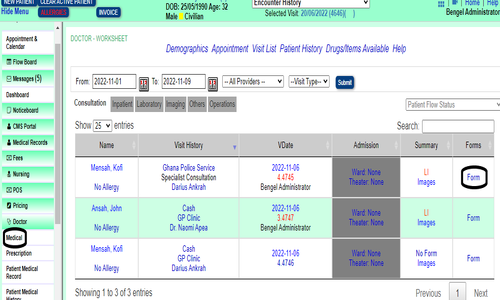
Medical Flowboard

• Login to BH
A Healthcare Provider's login access may be assigned to the Medical Flowboard as the default flowboard. When the Doctor login to BH the intial top page will display the board.
• Select Client/Patient
• Select Visit/Encounter. The Forms interface will display
• On the Medical flowboard click on the Form link for the related Client/Patient
• On the Patient Forms interface drop the Doctor's tab and select Consultation Form
• Enter your new password again at the Repeat Password field
• Click on Save
Additional Info
None.
None
Images
None