CHANGING PASSWORD - MANUAL
Introduction
For ALL USERS.
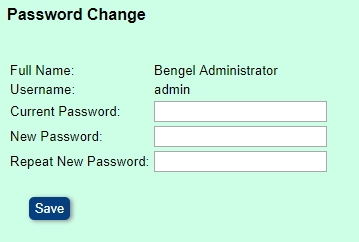
Changing Password

• A password is a memorized secret string of characters used to verify and confirm the identity of a user when using an application.
• Your password is the way to prove your identity when using the HealthAdm Application.
:
• ;
How do I access Change Password form?
• Login to BH
• Select Miscellaneous menu
• Select Password sub-menu
• Enter your current password at the Current Password Field
• Enter your new password at the New Password field
• Enter your new password again at the Repeat Password field
• Click on Save
• If you logging to BH for the first time you will be forced to change the password given to you by the Facility Administrator
• Depending on the parameters setup you system you be prompted to change your password periodically
• The use of strong passwords is essential in order to protect your security
• Ensure you use strong password, and do not disclose it to another person