HOW TO UPLOAD MEDICAL IMAGES
Introduction
The function is uploading images and PDF documents to be access/view by medical personel at the Forms page
VideoHow do I access the Upload Medical Images page?
• Log in to BH
• Select a Patient
• Select Encounter/Visit
• Drop the Patient menu
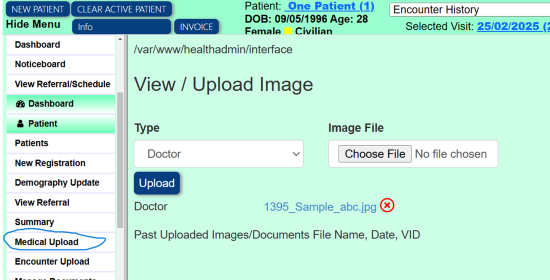
• Select or click Medical Upload
• Click "Choose File". And select the image file from you PC or Device
• Click Upload. The image is uploaded
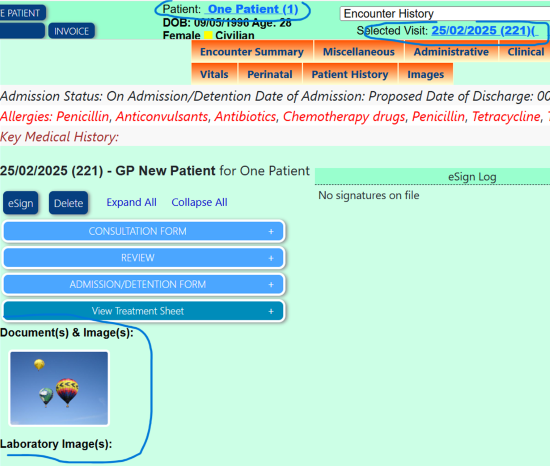
How do I view uploaded Medical Images
• Login to BH
• Select a Patient
• Select Encounter/Visit. The form page will display and images will display on top on the page.
Images
Upload Page
None
Encounter/Visit Medical Information Page